
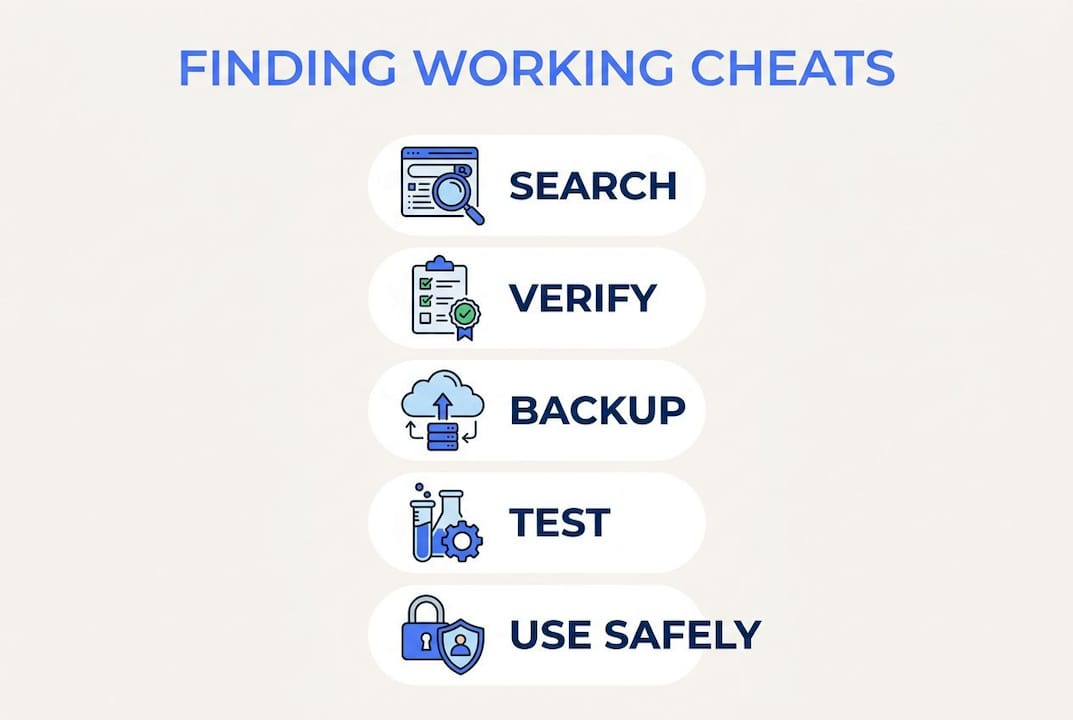
Finding consistently working game cheats requires a disciplined approach that combines verified databases, community cross-checking, and safe application methods. Random downloads from unvetted sites produce outdated codes, malware risks, and corrupted save files. The solution is a structured process: start with authoritative sources like Cheatbook, validate codes across multiple community platforms, and apply cheats using built-in developer tools before reaching for third-party software. This guide covers exactly where to get game cheats, how to verify them, and how to activate them safely on PC, consoles, and mobile.
Where to find verified and up-to-date game cheats
The most reliable starting point for any gamer is a dedicated cheat code database with a consistent update schedule. Cheatbook covers 485 PC games and 46 console titles in its july 2026 issue alone. That kind of coverage means you can find codes for both new releases and older titles without digging through dead links or spam-filled forums.
Community platforms add a second layer of reliability that databases alone cannot provide. Reddit subreddits tied to specific games, official Discord servers, and developer-run forums all generate real-time feedback on whether a code still works after the latest patch. Crowdsourced user comments are a primary indicator of cheat reliability and current status. A code posted three months ago with 50 upvotes and recent replies confirming it works is far more trustworthy than a code sitting on a static page with no activity.

Developer communications are the gold standard. Official patch notes and blog posts sometimes reveal legitimate debug or cheat modes built into the game for testing purposes. These carry zero detection risk because the developer put them there intentionally.
Source types and their reliability:
| Source type | Update frequency | Reliability | Risk level |
|---|---|---|---|
| Dedicated cheat databases (e.g., Cheatbook) | Monthly | High | Low |
| Official developer posts and patch notes | Per patch | Highest | None |
| Reddit and official game forums | Real-time | Medium to high | Low |
| Random third-party websites | Irregular | Low | High |
| Emulator cheat databases (e.g., chtdb.txt) | Community-driven | Medium | Low |
Random third-party websites with no community presence are the biggest source of failed or dangerous cheats. They rarely update after a game patches, and some bundle malware with cheat downloads.
Criteria for assessing a reliable cheat site:
- Active comment section with recent posts confirming the code works
- Clear game version or patch number listed alongside the code
- No forced downloads or executable files for simple text-based codes
- Affiliated with a known gaming community or publication
Pro Tip: Build a short personal list of three to five reliable cheat sites for the games you play most. Bookmark them and check all of them before applying any code. This cuts research time significantly and keeps your sources consistent.
How to verify game cheats for compatibility and safety
Compatibility is the single biggest reason cheats fail. Mismatched game versions cause crashes and instability because patches change memory addresses and function calls that cheats depend on. Always check the cheat documentation for a listed game version or build number and match it against your installed version before trying anything.
Cross-referencing across at least three independent sources is the most effective verification method. Checking user feedback on official forums and subreddits helps confirm validity and flags outdated codes quickly. If two out of three sources report the code stopped working after a specific patch, skip it and wait for an updated version.
Platform differences add another layer of complexity. A cheat that works on PC may not function on console due to different memory structures, and mobile versions of the same game often run on entirely separate codebases. Always confirm the cheat is labeled for your specific platform before attempting activation.
Verification checklist before applying any cheat:
- Match the cheat's listed game version to your installed build
- Confirm the code on at least three independent trusted sources
- Read the most recent user comments for reports of failures or fixes
- Run an antivirus scan on any downloadable cheat file before opening it
- Back up your save files before loading any external cheat table or script
Manual save file backups are a non-negotiable safeguard. Experienced gamers back up saves before applying cheats to avoid losing hours of progression to corrupted data. On PC, this usually means copying the save folder to a separate drive or cloud storage. On consoles, use the platform's built-in backup feature.
Pro Tip: Keep a personal spreadsheet with columns for game title, cheat code, source URL, game version tested, and date verified. Update it after each gaming session. This reference saves hours of re-verification over time.
How to safely enable cheats on PC, consoles, and mobile
The safest method on PC is always the built-in developer console or configuration file. Modifying local .ini or .cfg files or adding launch arguments activates cheat modes without touching third-party software. This approach keeps you inside the game's own architecture, which means no external processes that anti-cheat systems can flag.
Enabling cheats on PC
- Open the game's installation folder and locate the configuration file (.ini, .cfg, or similar).
- Search for a "cheats" or "developer" flag and set it to "1" or "true."
- Launch the game and open the developer console using the assigned key (often the tilde key).
- Type the cheat command exactly as documented, including correct spacing and capitalization.
- Test the cheat in a new save slot before applying it to your main playthrough.
For games without a built-in console, Cheat Engine 7.5 allows memory scanning and the application of community-made cheat tables to modify game values in single-player titles. Download cheat tables only from established community repositories, and always scan the file with antivirus software before opening it.
Enabling cheats on consoles
- Check whether the game includes a built-in cheat code input screen (common in older titles and some modern remasters).
- Enter codes during gameplay or from the pause menu as documented by the developer or a verified database.
- Avoid third-party USB devices or hardware mods that require firmware changes, as these carry ban and warranty risks.
- Use the console's save backup feature before activating any cheat that affects progression.
Enabling cheats on mobile
- Check whether the game supports offline mode and switch to it before attempting any cheat.
- For rooted Android or jailbroken iOS devices, use only well-documented memory editors with active community support.
- Confirm the app version matches the cheat documentation exactly, since mobile games update frequently.
- Avoid cheats in any online or multiplayer mode. Detection systems on mobile platforms are increasingly aggressive.
Pro Tip: Always test a new cheat in an isolated save slot first. If the cheat causes a crash or unexpected behavior, your main save remains untouched. Restore from backup if anything goes wrong.
Cheats in online multiplayer are a separate category entirely. Using unauthorized cheats in competitive online modes risks permanent account bans. Keep cheat use to single-player or offline modes unless the cheat is officially sanctioned by the developer.
Common issues with game cheats and how to troubleshoot them
Outdated cheats are the most frequent problem. Frequent game patches change memory addresses and function calls, which breaks cheats that worked perfectly before the update. The fix is straightforward: check the cheat source for an updated version tied to the current patch, or search the game's subreddit for community-sourced fixes.
Regional and platform differences cause a second category of failures. A cheat documented for the North American PC release may not work on the European console version due to different build numbers. Always confirm the region and platform label on any cheat before applying it.
Safety warning: Never apply a cheat that requires disabling your antivirus or firewall. Legitimate cheat tools do not need elevated system permissions to function. Any download that asks you to turn off security software is a red flag for malware. If a cheat corrupts your save file, restore from your pre-cheat backup immediately and verify your game files through the platform's integrity check tool before trying again.
Quick troubleshooting checklist:
- Verify your game version matches the cheat's documented version
- Search the game's official forum or subreddit for patch-specific fixes
- Restore your save backup if the game crashes or behaves unexpectedly
- Run a full antivirus scan after any failed cheat download
- Use the platform's "verify game file integrity" tool to repair corrupted game data
- Remove the cheat and restart the game before attempting a different code
Game crashes caused by cheat conflicts are usually resolved by removing all active cheats, verifying game file integrity through Steam, the Epic Games Launcher, or the console's repair tool, and then reapplying only one cheat at a time to isolate the conflict. Community threads for specific game versions are the fastest source of targeted fixes.
Key takeaways
Finding reliable cheats requires verified sources, version matching, and safe application methods applied consistently across every session.
| Point | Details |
|---|---|
| Use verified databases first | Cheatbook and similar databases provide regularly updated codes for hundreds of games. |
| Cross-check across three sources | Confirming a code on multiple platforms reduces malware risk and flags outdated entries. |
| Match game version exactly | Mismatched versions are the leading cause of cheat failures and game crashes. |
| Back up saves before every cheat | Manual save backups prevent progression loss from corrupted data. |
| Stick to single-player for cheats | Using cheats in online multiplayer modes risks permanent account bans. |
What I've learned from years of sourcing cheats the right way
The biggest mistake most gamers make is treating cheat sourcing as a one-time search. They find a code, it works once, and they bookmark the page without checking whether it still applies after the next patch. That habit leads to frustration, wasted time, and occasionally a corrupted save.
The approach that actually works is treating your cheat sources like a curated library. I maintain a short list of databases and community forums I trust for each game I play seriously. When a patch drops, I check those sources first before assuming any existing cheat still functions. That single habit eliminates most of the headaches gamers associate with cheat codes.
Platform-specific strategy matters more than most guides admit. PC gives you the most flexibility because configuration files and tools like Cheat Engine 7.5 allow deep customization. Console cheats are more limited but also more stable because the hardware environment changes less frequently. Mobile is the hardest platform to cheat on reliably, and the detection risk in online modes is real enough that I avoid it entirely.
The community dimension is underrated. A forum thread with 200 replies from players on the same game version is more valuable than any static database entry. Recent comments that confirm a code works on the current patch are the clearest signal you can get. Build relationships in those communities. Players who share fixes quickly are the most valuable resource in this space.
Backing up saves is not optional. I have seen gamers lose dozens of hours of progression because they skipped this step. It takes two minutes and it has saved my own playthroughs more than once.
— Fonics
Midnight-market: tested cheats for serious gamers
Sourcing cheats manually works, but it takes time and carries real risk if you pull from the wrong place. Midnight-market removes that uncertainty by providing undetected cheats and DMA hardware that are tested daily across popular titles including EFT and Valorant.

Every product in the Midnight-market store goes through rigorous daily testing before it reaches you. That means no guessing about version compatibility, no malware risk from random downloads, and no waiting to find out whether a code still works after the latest patch. Live support via Discord means help is available when you need it, not hours later. For gamers who want consistent performance without the research overhead, Midnight-market is the direct path to reliable Valorant cheats and hardware built for competitive play.
FAQ
What is the safest way to find working game cheats?
The safest method is to start with established cheat databases like Cheatbook and cross-reference any code across at least three independent community sources before applying it. Official developer patch notes and debug modes carry zero detection risk and are always the most reliable option when available.
Why do game cheats stop working after updates?
Game patches change memory addresses and function calls that cheats depend on, which breaks compatibility immediately. Always verify that the cheat documentation lists your current game version or build number before attempting activation.
Is it safe to use Cheat Engine on PC?
Cheat Engine 7.5 is safe for single-player games when you download cheat tables from established community repositories and scan all files with antivirus software first. Never use Cheat Engine in online multiplayer modes, as it will trigger anti-cheat detection and result in account bans.
How do I fix a cheat that is not working?
Confirm your game version matches the cheat's documented version, search the game's subreddit for patch-specific fixes, and verify game file integrity through your platform's repair tool. Remove all active cheats before running the integrity check to avoid false errors.
Do game cheats work the same on PC, console, and mobile?
No. PC offers the most flexibility through configuration files and memory tools, console cheats are more limited but stable, and mobile cheats are the hardest to apply reliably due to frequent updates and aggressive online detection systems. Always use a cheat labeled specifically for your platform and region.