The fastest practical route to an HWID ban fix is a verified HWID spoofer paired with a proper verification step and hardware replacement only if flagged identifiers persist. Try software first: spoof, reboot, and confirm with system tools. If the ban sticks, swap the specific component still carrying the flagged ID, usually the storage drive before the motherboard. No method is permanent, since anti-cheat detection keeps evolving, so plan for testing, rollback, and a fallback budget before you touch anything.
TL;DR:
- Changing storage drive identifiers, such as swapping SSDs or reinstalling Windows on a different drive, can often resolve hardware ID bans at a lower cost than motherboard replacements.
- Using a verified HWID spoofer with administrative rights and confirming changes with system tools is essential before considering hardware replacements, especially for persistent bans.
- Replacing the motherboard or UEFI/TPM setup is the most disruptive fix, typically requiring a full Windows reinstall and a significant time investment, costing between $80 and $250.
- Kernel-mode spoofers provide more persistent ID changes but carry higher risks of system instability and detection through behavioral telemetry, not just signature scans.
- Continually reusing the same spoofing setup or account immediately after a fix increases detection risk; spacing out sessions and using disposable accounts improves success chances.
Table of Contents
- Quick Fixes You Can Try Before Buying New Hardware
- Which Hardware Parts Actually Carry Your HWID Fingerprint?
- How HWID Spoofers Actually Work Under the Hood
- Do Vanguard, BattlEye, and EasyAntiCheat Treat HWID Bans the Same Way?
- How to Verify a Spoof Actually Worked (and Roll It Back Safely)
- When to Stop Spoofing and Just Replace the Hardware
- How Midnight Market Thinks About HWID Ban Recovery
- What Midnight Market Offers for HWID Ban Recovery
- Where to Verify These Fixes Yourself
- Sources
Quick Fixes You Can Try Before Buying New Hardware
Before you spend a dollar on parts, run through the software-side options. Most HWID ban fix attempts start here, and a good number end here too.
An HWID spoofer works by masking the hardware identifiers a game's anti-cheat reads at login, things like disk serials, motherboard SMBIOS strings, and network adapter MAC addresses. The basic process looks like this:
- Run the spoofer as administrator (kernel-level tools need elevated permissions to touch driver-level data).
- Select which components to spoof rather than blanket-spoofing everything, since narrower changes tend to draw less attention.
- Apply the spoof, then reboot immediately so the new values load cleanly.
- Verify with Windows system tools (
wmic bios get serialnumber, Device Manager, or a dedicated HWID reader) before you launch the game.
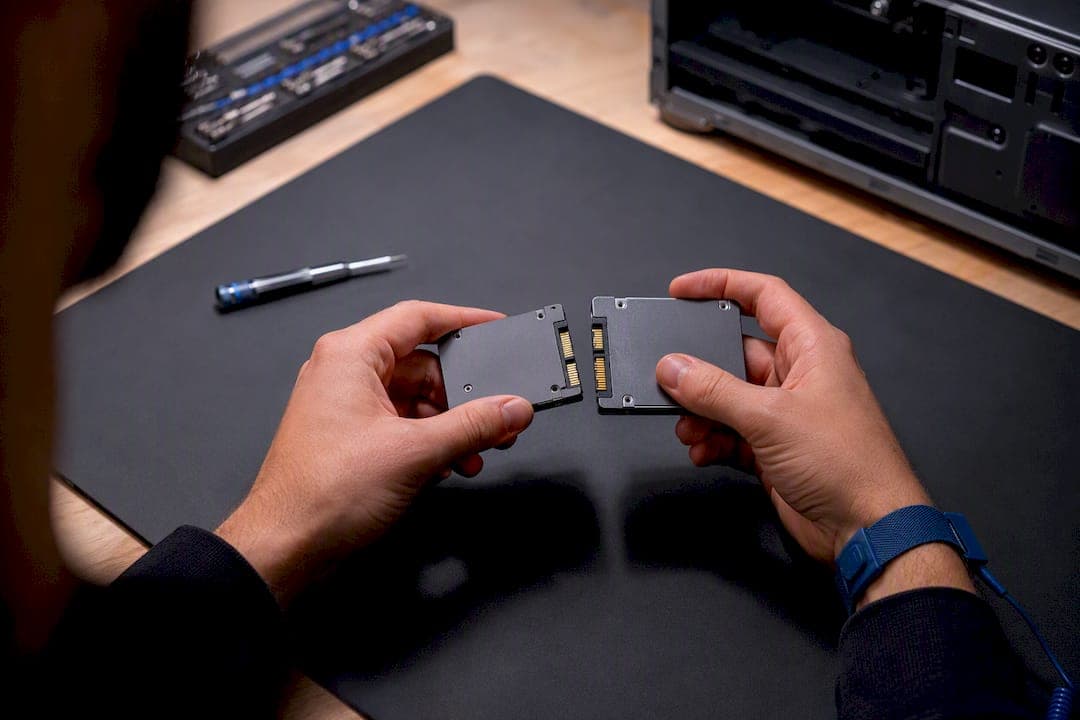
Disk and volume changes matter more than most players expect. Changing a volume ID, reinstalling the OS on a different drive, or swapping to a new SSD entirely sometimes resolves a ban tied specifically to storage. Community reports of this pattern are common enough that storage should be one of your first suspects, not a last resort.
On the network side, changing your IP address, using a VPN temporarily, and randomizing your MAC address can help if the ban logic weighs network fingerprints alongside hardware ones. This rarely fixes an HWID ban on its own, but it removes one more flagged data point from the picture.
Resist the urge to reuse the same banned account on a freshly spoofed system right away. Create a disposable test account first. If that account survives a few sessions without flags, your main account has a better shot.
Pro Tip: Back up your registry and export your original HWID values before you spoof anything. If you skip this step and a driver conflict corrupts your boot sector, you're rebuilding Windows from scratch instead of rolling back in five minutes.
Keep antivirus exclusions narrow. Kernel-mode spoofing tools frequently trigger AV heuristics simply because they touch low-level system data, not because they're actually malicious. Add an exclusion only for the specific spoofer executable, and only after you've verified the tool's checksum against its official release page.
Which Hardware Parts Actually Carry Your HWID Fingerprint?
Anti-cheat systems don't read one single "HWID." They read a bundle of separate hardware identifiers and combine them into a fingerprint. Knowing which part stores which identifier tells you exactly what to replace if spoofing alone doesn't hold.
- Storage drives hold a disk serial and volume ID, the most commonly flagged identifier in ban reports and the cheapest to change through a drive swap or fresh format.
- The motherboard stores SMBIOS data (BIOS serial, board serial, system UUID), which is harder to spoof permanently because some tools reset it on every reboot without a persistence driver.
- Network adapters carry a MAC address, easy to randomize in software but occasionally hardcoded on certain onboard NICs.
- TPM and UEFI flags can hold secure boot and platform identifiers on newer builds, particularly relevant on Windows 11 machines with TPM 2.0 enabled.
- GPU and CPU serials get pulled into fingerprinting only in aggressive anti-cheat implementations, and replacing either one purely to dodge a ban is rarely worth the cost.
Work through that list in order of price. Replace or reset storage identifiers first since a $60 SSD swap fixes more bans than people assume. Move to network adapter changes next, which cost nothing if your board has a replaceable card. Only consider a motherboard swap or BIOS reflash if the first two steps fail and you've confirmed through system tools that SMBIOS values are still matching the pre-ban fingerprint.
A motherboard replacement is the most disruptive fix on this list. It forces a full Windows reinstall in most cases, a fresh driver stack, and a Windows license reactivation if you're not on a digital entitlement tied to your Microsoft account. Budget a full weekend, not an afternoon, and expect $80 to $250 depending on your platform and whether you keep your existing CPU. Compare that to a full new PC build, which solves every identifier at once but starts north of $600 for anything competitive. For most players, a targeted drive and NIC swap resolves the issue for a fraction of that cost.
How HWID Spoofers Actually Work Under the Hood
Two architectures dominate the spoofer landscape, and the difference between them decides how long your fix lasts and how likely it is to get flagged again.
User-mode registry edits modify the values Windows exposes through APIs and the registry, things like the disk serial reported to applications or cached SMBIOS strings. They're easier to build, easier to detect, and usually don't survive a reboot without the tool running in the background. Kernel-mode drivers intercept hardware queries at a lower level, before they ever reach the registry, which makes the spoof more persistent but also riskier: a bad kernel driver can crash Windows outright, and anti-cheat engines that run their own kernel-mode components (which is most of them now) have a much better shot at spotting the intrusion.
The behymt kernel-mode spoofer project documents this trade-off directly, showing how SMBIOS and disk identifiers get rewritten at the driver layer along with the build steps needed to compile and load it. The hwidtool repository takes a broader approach, managing MAC addresses, disk serials, and SMBIOS values together and documenting a verification workflow so you can confirm what actually changed after each run.
Typical spoof targets and the layer they operate on:
- Disk serial and volume ID: registry-level for basic tools, driver-level for persistent ones.
- SMBIOS strings (BIOS/board/system serial): almost always requires kernel access to hold across reboots.
- MAC address: user-mode adapter settings, no driver needed in most cases.
- Windows registry machine GUID: a straightforward registry edit, low risk, low persistence.
One clean build of the hwidtool project reported zero detections across 70 antivirus engines on VirusTotal, which sounds reassuring until you remember that a clean AV scan says nothing about whether an anti-cheat's own kernel monitor can see the same driver behavior. AV signature scanning and anti-cheat behavioral monitoring are different detection systems entirely, and passing one tells you nothing about the other.
This is where most spoofing attempts eventually fail: not through signature detection, but through timing analysis and behavioral telemetry. If your reported hardware identifiers change every session while your play patterns, peripheral inputs, and session timing stay identical, that inconsistency itself becomes a signal. Modern anti-cheat engines increasingly weigh behavior alongside hardware, which means a perfect spoof on paper can still get re-flagged weeks later if nothing else about the account's usage pattern changes.
Do Vanguard, BattlEye, and EasyAntiCheat Treat HWID Bans the Same Way?
Not exactly, though the underlying goal is identical across all of them: attach a persistent hardware fingerprint to the ban so a fresh account or reinstalled OS doesn't erase the penalty.
Riot Vanguard, used in Valorant, runs a kernel-level driver that loads at boot and has drawn criticism for how deep its system access goes, which also makes valorant HWID ban fix attempts noticeably harder than on games with lighter anti-cheat. BattlEye and Easy Anti-Cheat both use similar driver-based detection across a wide range of titles and tend to weigh disk and SMBIOS identifiers heavily. Ricochet, Call of Duty's anti-cheat, layers in more aggressive behavioral analysis on top of hardware fingerprinting.
Riot Games addresses this directly on its own support pages, confirming that HWID bans attach to hardware identifiers rather than just the account and that appeals for hardware bans are limited compared to standard account suspensions. That's the closest thing to an official position you'll find from a major publisher, and it's worth reading directly if you're dealing with a valorant hardware ban fix specifically.
Detection risk doesn't stop at the HWID layer. Watch for these additional triggers:
- Reusing a spoofing profile across multiple banned accounts, which creates a pattern anti-cheat vendors can cluster and flag as a group.
- Behavioral telemetry mismatches, where your input timing and play style stay identical across a "new" hardware fingerprint.
- Signature matches on the spoofing tool itself, especially with popular open-source projects that anti-cheat vendors actively monitor and reverse-engineer.
- Logging in immediately after spoofing without any cooldown, which compresses your risk window into a single suspicious session.
Reduce your exposure by spacing out your first few sessions, avoiding ranked or competitive queues immediately, and never running the same spoofer build across accounts you're trying to keep separate.
How to Verify a Spoof Actually Worked (and Roll It Back Safely)
Skipping verification is the single most common reason a fix fails silently. Follow this order every time:
- Back up first. Export your current HWID values, image your drive if you can spare the space, and note your original SMBIOS and disk serial numbers somewhere off-system.
- Apply the spoof, then reboot immediately. Don't launch the game yet.
- Confirm with system tools. Check Device Manager, run a WMIC query for your BIOS serial, and compare against your backed-up originals. If nothing changed, the spoof didn't apply correctly.
- Test offline first. Launch the game's client without queuing into a match to confirm it loads without an immediate flag.
- Use a disposable account for your first live match, never your main account, and never a ranked queue.
If something breaks (a driver conflict, a boot loop, a blue screen), uninstall the spoofing driver through Safe Mode, restore the registry keys you backed up, and revert to your saved disk image if the system won't stabilize. Most kernel-driver issues resolve through Windows' built-in driver rollback feature or a System Restore point, provided you created one before you started.
Pro Tip: Never attempt a ranked or competitive match within the first 24 hours of a fresh spoof. Give the account time to accumulate normal-looking activity before you put it in front of the anti-cheat's highest scrutiny mode.
When to Stop Spoofing and Just Replace the Hardware
Set yourself a limit before you start, not after you've burned a weekend on it. If two or more identifier categories (storage, SMBIOS, and network) all still trigger flags after a clean spoof and reboot, that's a strong signal the ban is tracking multiple components at once, and further software attempts have diminishing returns.
Frequency matters too. One re-ban after a spoof is a nuisance. Three re-bans on the same hardware inside a month means the anti-cheat has likely fingerprinted something you haven't identified yet, and continuing to guess wastes more money than a targeted drive or board swap would.
If you're selling old flagged hardware afterward, wipe it properly, disclose that it was previously used for cheat software if a buyer asks directly, and reflash to a clean factory image rather than handing over a drive that still carries your old fingerprint data.
How Midnight Market Thinks About HWID Ban Recovery
Some providers test their spoofing and cheat products regularly against anti-cheat engines, because a fix that worked last week and fails today isn't a fix, it's a liability. That daily cycle shapes everything in this guide: the verification-first workflow, the caution around ranked matches after a spoof, and the insistence on backups before you touch a driver.
Live support is valuable because HWID recovery rarely goes perfectly on the first try, and players need real answers when a driver conflicts with their board or a spoof doesn't hold. Hardware warranties on DMA products reflect the same logic: a fix built on undocumented hardware behavior needs a safety net, not just a sales pitch.
What Midnight Market Offers for HWID Ban Recovery
If you've worked through the software fixes and you're still stuck, Midnight Market's reported temp spoofer gives you a maintained, actively tested option instead of an abandoned open-source build with no support behind it.

That's the real gap between a GitHub project and a supported product: someone answering when a driver conflicts with your board at midnight before a ranked match. Every listing on the Midnight-Market store gets daily detection testing, and if you land on hardware-level fixes instead, our DMA hardware carries a warranty so a bad unit doesn't become a sunk cost. Live support via platforms like Discord can walk you through setup in real time rather than leaving you to piece together forum threads. Browse available options that match how deep your ban actually goes, and try to get a straight answer from support before spending on parts you might not need.
Where to Verify These Fixes Yourself
Cross-check any HWID fix against primary sources before you commit time or money to it. Riot's own HWID ban support page covers appeal limits directly. Technical readers can review the behymt kernel-mode spoofer project and the hwidtool repository for the actual code behind identifier spoofing. Vendor policies shift, so recheck these pages periodically.