
Riot Vanguard is Valorant's anti-cheat: a boot-time kernel driver called vgk.sys paired with a user-mode client that scans for cheats while the game runs. Its job is protecting competitive integrity by blocking memory-injection hacks, unauthorized processes, and, with the right platform security enabled, hardware-based DMA cheating.
Here's what that means for you as a player:
- The driver typically loads when Windows boots, before Valorant even opens.
- On qualifying systems, Vanguard On-Demand lets that driver skip loading at boot entirely.
- The client (not the driver) does the active detection work once you launch the game.
- Vanguard's design specifically targets both software cheats and DMA hardware attacks.
Key Takeaways
Riot Vanguard combines a boot-time kernel driver with a user-mode detection client, and platform security features like TPM and Secure Boot now let that driver stay dormant until you launch the game.
| Point | Details |
|---|---|
| Two-part architecture | The vgk.sys driver handles boot-time trust checks; the client does active scanning only while Valorant runs. |
| On-Demand reduces footprint | Systems with TPM 2.0 and Secure Boot enabled can skip loading the driver at boot entirely. |
| Cheating shifted, didn't vanish | Kernel protections pushed cheat development toward DMA hardware and screen-reading triggerbots. |
| IOMMU blocks DMA reads | Riot applies IOMMU restrictions against accounts flagged for suspected DMA hardware usage. |
| Kernel access carries tradeoffs | Crash risk and expanded exploit surface are real, offset by audits and fast-update capability. |
Table of Contents
- What Is Vanguard's Architecture, and How Does It Actually Work?
- What Data Does Vanguard Collect, and Is It Actually Private?
- How Do You Install Vanguard and Fix Common Errors?
- How Has Vanguard Changed the Way Cheats Get Built?
- What Are the Real Risks of a Kernel-Level Driver Like Vanguard?
- How Do You Check If Vanguard Is Running Correctly?
- How Has the Gaming Community Reacted to Vanguard?
- Vanguard's Real Lesson Isn't About Anti-Cheat. It's About Cause and Effect.
- Sources
What Is Vanguard's Architecture, and How Does It Actually Work?
Vanguard splits its work between two components, and understanding that split answers most of the "why does this thing run at boot" questions players ask.
The vgk.sys driver is a minimal, privileged gatekeeper. It loads early in the Windows boot sequence to establish what security researchers call a trust chain, essentially confirming nothing malicious got loaded before Valorant did. Riot designed it this way on purpose: cheat developers who write kernel-level drivers to bypass anti-cheat need to load before the game does, so Vanguard tries to close that window first.
The responsibilities break down like this:
- The driver runs blocklist checks against known cheat drivers and creates a protected process environment for Valorant.
- The client handles active detection, scanning running processes and memory only while the game is open.
- Vanguard Pre-Check verifies your system meets security requirements before you can play ranked.
- On-Demand mode lets the driver stay dormant at boot on systems that pass Pre-Check, only loading when you launch Valorant.
Riot's On-Demand announcement laid out the eligibility bar: your PC needs TPM 2.0, UEFI Secure Boot, and an up-to-date Windows build.
Quick fact: those aren't arbitrary checkboxes. TPM 2.0 stores cryptographic root-of-trust keys that verify your system hasn't been tampered with. Secure Boot blocks unsigned code from loading during startup, which is exactly how a lot of kernel-level cheat drivers try to sneak in. Virtualization-Based Security (VBS) and Hypervisor-Protected Code Integrity (HVCI) enforce runtime code integrity checks. IOMMU restricts direct memory access from external hardware. Microsoft's own Trusted Platform Module documentation covers how these primitives work together, and Vanguard leans on all four rather than reinventing them.
What Data Does Vanguard Collect, and Is It Actually Private?
The privacy question comes up constantly, and the honest answer sits somewhere between Riot's official statements and the skepticism kernel drivers naturally attract.
Riot has stated the driver itself doesn't transmit data. Detection scans, the part that actually looks at what's running on your machine, happen through the non-driver client component, and only while Valorant is open. IGN's reporting on this distinction is worth reading if you've wondered why Vanguard shows up in Task Manager even when you're not queued into a match.
What the integrity checks actually involve:
- Local comparisons against known cheat-driver blocklists.
- Firmware and driver version verification.
- Boot-environment validation before the game process starts.
These are local checks. Nothing here requires uploading your file system to Riot's servers.
Third-party security writers have pushed back on one point regardless of Riot's telemetry claims: any kernel-level driver widens your system's exploit surface just by existing there, whether or not it's actively phoning home.
That's the practical tension. Riot's data claims may hold up, but "minimal telemetry" and "zero additional risk" aren't the same statement.
How Do You Install Vanguard and Fix Common Errors?
Installation happens automatically the first time you install Valorant, but the reboot prompt you get afterward isn't optional busywork. The driver has to load during Windows startup to establish that trust chain, so skipping the reboot means Vanguard won't fully activate.
Before you queue up, run through the Pre-Check requirements:
- Confirm TPM 2.0 is enabled in your BIOS/UEFI settings.
- Turn on UEFI Secure Boot (not legacy BIOS mode).
- Update Windows to a current build.
- Enable IOMMU/VBS if your motherboard and CPU support it.
For the errors that actually trip people up:
- "Device driver blocked" usually means Secure Boot is off or a conflicting driver (often from monitoring software or older peripherals) is loaded. Disable third-party kernel drivers and retry.
- Vanguard fails to install often traces back to outdated Windows updates or a corrupted download. Reinstall Valorant fresh from the official client.
- Network issues after an update typically resolve with a full restart, not just closing and reopening the client.
- Uninstall/reinstall sequence: uninstall Vanguard from Windows' "Apps & Features," reboot, then reinstall Valorant, which reinstalls Vanguard automatically.
Pro Tip: Before opening a support ticket, grab your Vanguard log files from C:\ProgramData\Riot Games\Vanguard\Logs — Riot Support asks for these first, and having them ready cuts resolution time significantly.
If none of that clears the error, Riot Support is the next step, and include your Windows build number and BIOS security settings when you file the ticket.
How Has Vanguard Changed the Way Cheats Get Built?
Kernel-level protection didn't eliminate cheating. It redirected it, and that shift tells you a lot about how anti-cheat pressure actually works.
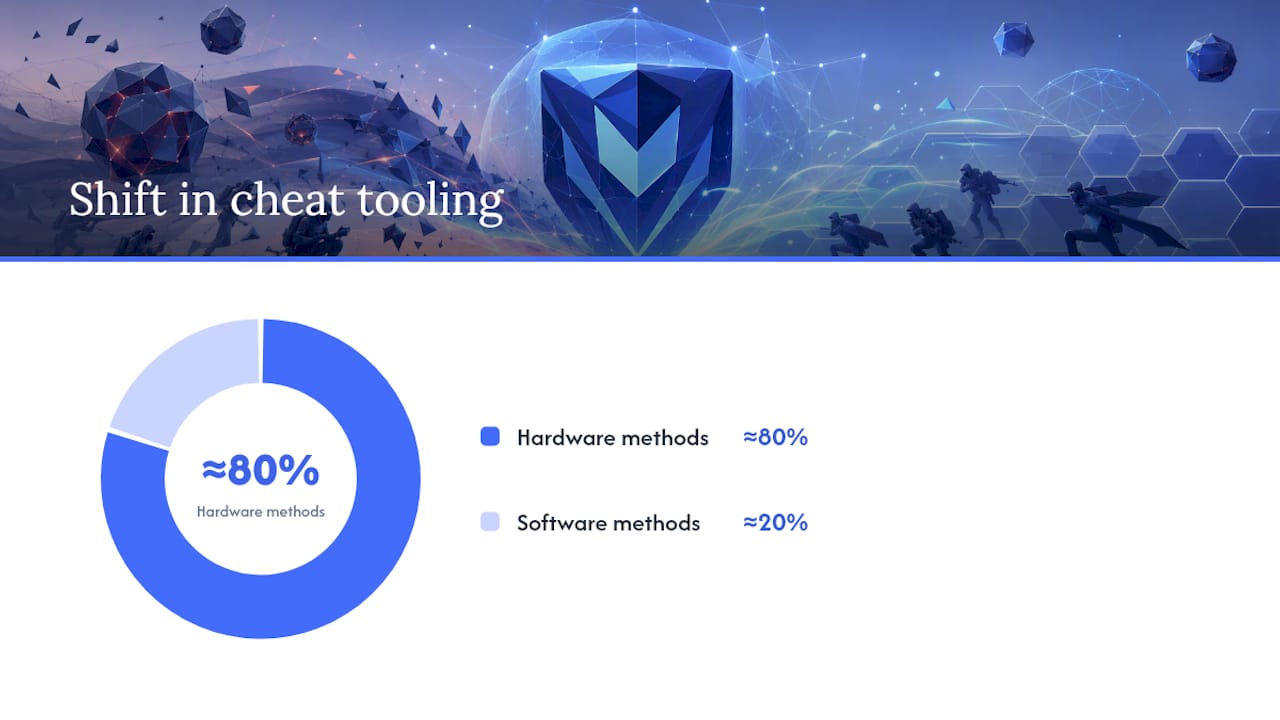
Classic memory-injection aimbots relied on cheat software running inside the same machine as the game, reading and writing memory directly. Vanguard's driver-level blocklisting and process protection made that approach dramatically harder to pull off undetected. In response, cheat development moved toward external hardware, specifically DMA (direct memory access) devices that read game memory from a separate physical card, and screen-reading triggerbots that never touch the game's process at all.
Riot's countermeasure targets that shift specifically:
- IOMMU restrictions block many DMA read attempts at the hardware level once enabled.
- Riot has applied IOMMU-based restrictions against accounts flagged for suspected DMA usage.
- Hardware fingerprinting lets Riot issue bans tied to physical components, not just software licenses, making ban evasion more expensive.
Riot's own player-facing update described roughly an 80% shift in cheat tooling toward these external, hardware-driven methods as kernel-level software cheats became harder to sustain. That's the pattern worth understanding: anti-cheat pressure doesn't end cheating, it changes what kind of cheating survives, and DMA hardware exists precisely because software cheats got squeezed out.
What Are the Real Risks of a Kernel-Level Driver Like Vanguard?
Any driver running at Ring 0, the most privileged level in Windows, carries genuine tradeoffs, and pretending otherwise does readers a disservice.
The legitimate concerns:
- A buggy kernel driver can cause system crashes (blue screens) that a normal application never could.
- Kernel access expands the theoretical exploit surface if the driver itself has a vulnerability.
- Compatibility conflicts with other low-level software (VPNs, virtualization tools, some monitoring utilities) are more common than with user-mode programs.
Riot's mitigations, documented in Ars Technica's early reporting on the controversy, include external security audits, a bug bounty program, and the operational ability to push fast updates or disable problematic driver behavior remotely.
Pro Tip: Keep your motherboard firmware and chipset drivers current. A surprising share of Vanguard compatibility issues trace back to outdated BIOS versions, not Vanguard itself.
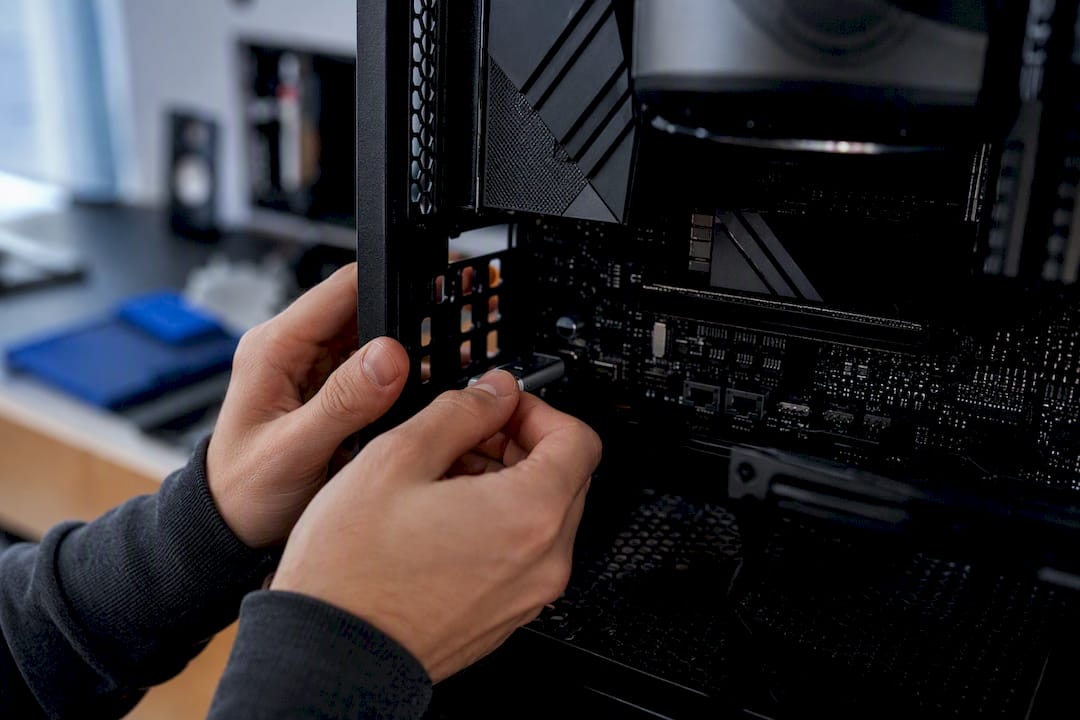
On your end: enable the platform protections Pre-Check asks for, skip third-party unsigned drivers, and avoid sketchy overlay software that also wants kernel access.
How Do You Check If Vanguard Is Running Correctly?
Verification takes under a minute if you know where to look.
- Open Task Manager → Services tab and look for "vgk" — if it's running, the driver loaded.
- Check Riot Client Services in Windows Services (
services.msc) for Vanguard's status indicator. - Run Vanguard Pre-Check from the Riot Client settings menu to confirm your system meets On-Demand eligibility.
- If Pre-Check fails, it'll list which specific requirement (TPM, Secure Boot, Windows version) is missing.
Stick to official Riot downloads only, keep firmware updated, and back up important files before any major BIOS setting change, since toggling Secure Boot or enabling IOMMU occasionally requires a clean boot afterward.
How Has the Gaming Community Reacted to Vanguard?
Reaction to Vanguard has never been uniform, and that's honestly the more accurate story than either the "Riot nailed it" or "kernel anti-cheat is dangerous" extremes you'll see repeated online.
Competitive players largely credit Vanguard for making Valorant's ranked ladder feel cleaner than titles running weaker, purely user-mode anti-cheat. Riot's public enforcement numbers, including 3.6 million banned accounts cited in one team update, get pointed to as evidence the system does real work rather than just existing as a deterrent.
Developer and security researcher reaction has been more mixed. Some praised Riot's transparency, particularly around publishing details on why the driver behaves the way it does and responding directly to community questions about boot-time behavior. Others, especially in the early rollout period covered by Ars Technica's reporting, argued that any studio asking players to accept kernel-level access sets a precedent worth scrutinizing closely, regardless of how well-intentioned the implementation.
The introduction of On-Demand mode shifted a lot of that conversation. Framing it as addressing both privacy concerns and system resource use, while preserving full protection on hardware that supports modern security features, gave Riot an answer to critics who wanted less permanent kernel footprint without weaker security. Whether that fully resolves the underlying debate about kernel-level anti-cheat as a category is still argued in security circles, but it clearly moved the conversation forward.
Vanguard's Real Lesson Isn't About Anti-Cheat. It's About Cause and Effect.
Most explainers on Vanguard either defend it uncritically or treat kernel-level access as inherently sinister. Both miss the more useful point: Vanguard's design is a direct, traceable response to how cheat developers actually operate, and it forced a corresponding response from them in return. Boot-time protection closed off memory-injection aimbots. Cheat developers moved to DMA hardware. Riot answered with IOMMU restrictions and hardware fingerprinting. That's not speculation, it's a documented arms race with each move visible in the public record.
What gets overrated in this conversation is theoretical exploit risk sitting alone, without the mitigations attached. What gets underrated is Vanguard's link between boot-time behavior and specific platform features: enable TPM and Secure Boot, and the driver's footprint on your system meaningfully shrinks under On-Demand.
If you take one thing from all this, it's not "trust Vanguard blindly" or "fear kernel drivers." It's that understanding the mechanism, driver versus client, boot versus runtime, software versus hardware cheats, tells you far more about your own security posture than any headline debate ever will.
— Fonics
Sources
- Vanguard On-Demand - Anti-Cheat Update | Riot Games
- Vanguard x VALORANT
- How Riot Games is fighting the war against video game hackers | TechCrunch
- Valorant: Riot explains why anti-cheat runs even when you're not playing | IGN
- Trusted Platform Module overview | Microsoft Learn