
No bypass instructions, tools, or code for circumventing Riot's Vanguard anti-cheat will appear here. That is the short answer. If you landed on this page hoping for a working exploit, you will not find one. What you will find is more useful: a clear explanation of why Vanguard flagged your system, what Riot actually expects you to do, and the fastest legitimate path back to playing Valorant.
If your account is restricted, start here:
- Update Windows to the latest version and enable Secure Boot, TPM 2.0, and VBS in your BIOS.
- Run the Vanguard security requirements checklist from Riot's official support page.
- Submit a Riot support ticket with sanitized system logs (details in the troubleshooting section below).
- If you are a researcher, use coordinated disclosure through Riot's bug-bounty channels, not public code releases.
- If you spotted a bypass tool being sold or distributed, report it to Riot or your local cybercrime unit.
"A Vanguard Restriction does not automatically mean you cheated. It often means your system configuration looks similar to known cheater profiles. Enabling modern security features can restore access." — Riot Games, VAN:Restriction and Closing the Motherboard Pre-Boot Gap
Table of Contents
- Why do people search for a Vanguard bypass?
- How does Vanguard actually work at a technical level?
- What are the real risks of attempting a Vanguard bypass?
- How to restore legitimate Vanguard access step by step
- What does a "Vanguard Restriction" message actually mean?
- What are the lawful options for researchers and modders?
- How to report bypass tools, cheaters, or suspicious sellers
- Key Takeaways
- The arms race nobody wins by sharing exploit details
- Useful sources and official links
- Midnight-market offers what bypass tools never can: reliability
Why do people search for a Vanguard bypass?
The motivations behind this search are not monolithic. Some players received a restriction message and have no idea why. Others are genuinely curious about how a kernel-level anti-cheat works. A smaller group wants to cheat without getting caught, and an even smaller group are security researchers or modders studying anti-cheat architecture.
The most common triggers:
- Hardware incompatibility — when a system lacks TPM 2.0, Secure Boot, or IOMMU support.
Forums, GitHub, and social posts show what searchers expect to find: proof-of-concept two-PC relay setups, kernel driver loaders, or DMA hardware guides. Public repos like Megant88/VanguardBypassOverWifi demonstrate that these projects circulate openly. That visibility does not make them safe or legal to run. The line between lawful curiosity and malicious intent is not about technical sophistication. It is about whether you have permission, a controlled environment, and no intent to harm other players.
How does Vanguard actually work at a technical level?
Vanguard has two main components: a kernel-mode driver (vgk.sys) and a client-side integrity service. Understanding their architecture explains why software-only workarounds are increasingly futile.
The "who loads first" problem
Riot designed the driver to start at system boot, not when the game launches. The reason is straightforward: if a cheat loads into kernel space before the anti-cheat driver, it can hide its presence entirely. By loading at boot, Vanguard establishes a trusted baseline before any user-space process can interfere. That is the core architectural decision that makes kernel-level anti-cheats hard to circumvent without hardware assistance.
Vanguard components and what they protect
| Component | Role | What it protects against |
|---|---|---|
Kernel driver (vgk.sys) | Boot-start system monitor | Kernel-space cheats, driver injection |
| Client integrity service | Runtime process attestation | Memory manipulation, DLL injection |
| TPM/Secure Boot attestation | Hardware identity verification | Spoofed system identities, HWID faking |
| IOMMU/VBS/HVCI checks | Memory isolation enforcement | DMA-based cheats, hypervisor attacks |
Vanguard On-Demand is Riot's answer to privacy concerns: on systems that meet the full hardware security baseline (TPM, Secure Boot, VBS), the driver can run only during active game sessions rather than continuously. That option is not available on systems that fail attestation checks.
TPM Endorsement Keys are physically burned into the chip at manufacture. When Riot issues a hardware-level ban tied to a TPM identifier, evading it requires physically replacing the TPM chip or the entire motherboard. That is not a software problem anymore.
Pro Tip: To capture a clean diagnostic snapshot for a support ticket, open Event Viewer (eventvwr.msc), filter for Vanguard-related entries under Applications and Services Logs, and export the filtered log as an .evtx file. Do not attach executables or driver files.
What are the real risks of attempting a Vanguard bypass?
The risks are concrete and often permanent. This is not a warning for its own sake.
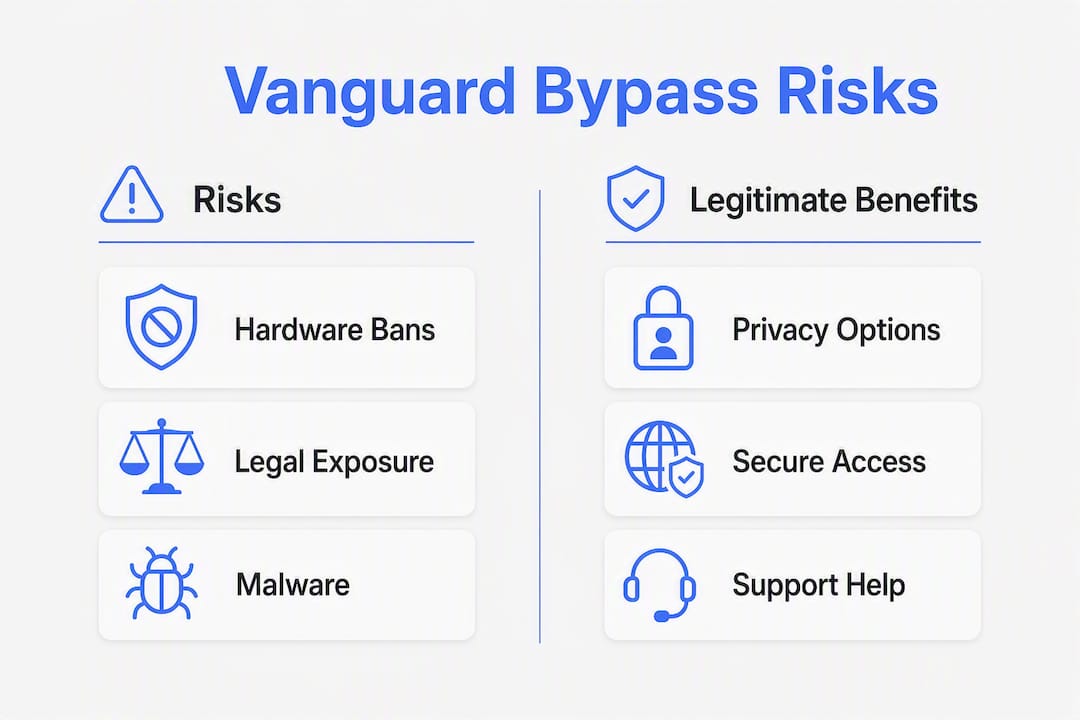
Permanent hardware bans. Because Riot ties bans to TPM Endorsement Keys, a hardware-level ban survives a Windows reinstall, a new hard drive, and a new account. The only exit is a new motherboard. For context on why spoofing tools rarely solve this, see spoofing software risks.

Malware. Community posts and GitHub releases that claim to unpack Vanguard components or distribute bypass tools frequently carry malicious payloads. Running unsigned kernel drivers from anonymous sources on your primary machine is one of the fastest ways to hand an attacker ring-0 access to your system. The obfuscation risks in cheat tooling are well-documented.
Payment fraud. Sellers of bypass tools often operate through unregulated payment channels. Chargebacks are difficult, and the "tool" delivered is frequently either non-functional or malicious.
"Public code and releases related to Vanguard bypass claims are frequently incomplete, legally risky to run, and often weaponized with malware." — Megant88/VanguardBypassOverWifi, project notes
Two-PC and DMA setups have hard operational limits. The two-PC relay approach requires removing the physical mouse from the main gaming PC entirely to avoid cursor reset conflicts. Even then, the setup introduces threading latency that breaks fast input. Competitive play on a degraded input chain is a different kind of disadvantage. For a deeper look at how hardware cheat devices actually perform under real conditions, the gap between marketing claims and reality is significant.
Legal exposure. In extreme cases, distributing or selling bypass tools can trigger claims under the Computer Fraud and Abuse Act (CFAA). Riot has pursued legal action against cheat developers before. Running bypass code on public servers also violates Riot's Terms of Service, which carries its own civil liability.
How to restore legitimate Vanguard access step by step
If Vanguard restricted your account and you were not cheating, this is the fastest path back.
- Update Windows. Riot requires a current Windows build. Open Settings, check for updates, and install everything including optional driver updates.
- Enable Secure Boot in BIOS. Restart, enter your BIOS/UEFI firmware (usually Del or F2 at POST), and enable Secure Boot. On AMD systems, also enable fTPM under AMD fTPM configuration.
- Enable TPM 2.0. Confirm TPM status in Windows by running
tpm.mscand ensure it is enabled and functioning. - Update your motherboard firmware if recommended by your manufacturer. Riot's motherboard pre-boot gap advisory identified a critical IOMMU initialization flaw in many boards. A BIOS update from your manufacturer may be required before IOMMU protection activates correctly.
- Enable Windows security features for memory integrity. In Windows Security, open Device Security, then Core Isolation, and turn on Memory Integrity. This enables HVCI.
- Run Vanguard repair. Uninstall and reinstall Vanguard through the Riot Client. This forces a clean driver installation.
- Gather logs and submit a ticket. Use the Event Viewer method above, export your Vanguard log entries, and submit them through Riot's support page.
Pro Tip: When writing your support ticket, include your Windows version, TPM specification version (from tpm.msc), Secure Boot status (from msinfo32 under System Summary), and the exact VAN error code displayed. Tickets with this information resolve significantly faster than vague "my game won't launch" submissions.
What does a "Vanguard Restriction" message actually mean?
A restriction is not the same as a ban. Riot has been explicit about this distinction.
Riot's public guidance frames restrictions as a mechanism to raise the overall security baseline across the player population, not as a definitive finding of cheating. The system flags accounts whose hardware and software configuration closely resembles known cheater profiles. That can happen legitimately when a player runs an older BIOS, has IOMMU disabled, or uses a system without Secure Boot.
"Vanguard Restrictions can ask players to update Windows and enable features like TPM and Secure Boot. Riot is also researching adding VBS/HVCI and IOMMU checks to restrictions." — Vanguard x VALORANT, Riot Games
The specific features Riot has referenced as enforcement levers: Windows version currency, Secure Boot, TPM 2.0, IOMMU pre-boot protection, VBS, and HVCI. Enabling these does not just satisfy Riot's requirements. It also closes real firmware-level attack surfaces that DMA cheats exploit. A restriction resolved by enabling IOMMU is a system that is now genuinely more secure.
What are the lawful options for researchers and modders?
Security researchers who want to study Vanguard's architecture have legitimate paths. None of them involve running unsigned drivers on a live account.
- Coordinated disclosure. Riot participates in responsible disclosure. Contact their security team before publishing any findings. Publishing a working exploit without prior disclosure exposes you to legal risk and harms the player community.
- Bug bounty programs. Check HackerOne and Riot's own security pages for current scope and reward tiers. Kernel-level findings typically qualify for higher payouts.
- Isolated lab environments. Use a dedicated machine that has never held a Riot account, on an isolated network segment. Never test on a live account or public server. A VM alone is insufficient for kernel-level research since Vanguard detects common hypervisor signatures.
- Published research as reference only. Public repos like the two-PC relay project are useful for understanding what the community has attempted. Treat them as reading material, not runnable code.
Pro Tip: Before publishing any anti-cheat research, redact the specific memory offsets, syscall numbers, and driver interaction sequences that would make your findings directly weaponizable. Describe the vulnerability class and impact without providing a copy-paste exploit. This is standard practice in coordinated disclosure and protects you legally.
How to report bypass tools, cheaters, or suspicious sellers
If you encountered a bypass tool being sold, a forum post distributing one, or a player you suspect is cheating, here is what to do.

Capture the following before reporting: the URL of the post or listing, filenames (not the files themselves), screenshots of claims or pricing, any payment receipts if you were defrauded, and the in-game account ID of a suspected cheater. Do not download or run any executable. Do not share passwords, private keys, or personal financial details with anyone claiming to investigate.
To report to Riot: Use the in-game report function for suspected cheaters. For tool distribution or seller fraud, submit a ticket through Riot's support portal and select the appropriate category. Include your screenshots and URLs.
To escalate to law enforcement: If you were defrauded financially or believe a criminal operation is distributing malware, file a report with the FBI's Internet Crime Complaint Center (IC3) at ic3.gov, or contact your state's cybercrime unit.
Pro Tip: If you intend to report a criminal operation, preserve evidence without altering it. Screenshot timestamps, save URLs as archived links via archive.org, and keep payment receipts in their original format. Chain-of-custody matters if law enforcement pursues the case.
Key Takeaways
Attempting a Vanguard bypass carries permanent hardware bans, malware risk, and legal exposure, while legitimate troubleshooting through Riot's official steps resolves most restrictions without any of those costs.
| Point | Details |
|---|---|
| Restrictions are not bans | A VAN restriction often signals a system configuration match, not confirmed cheating. |
| Hardware bans are permanent | TPM Endorsement Keys are burned into chips; evading a hardware ban requires a new motherboard. |
| Bypass tools carry malware risk | Public bypass releases frequently contain malicious payloads or unstable unsigned drivers. |
| Lawful fix exists | Enabling Secure Boot, TPM 2.0, IOMMU, and VBS resolves most restrictions per Riot's guidance. |
| Midnight-market context | Midnight-market offers daily-tested DMA hardware and cheat products for supported titles via its store. |
The arms race nobody wins by sharing exploit details
The conventional take on kernel-level anti-cheat is that it is an overreach. A driver that loads at boot, monitors system state continuously, and ties bans to physical hardware feels invasive, and that criticism is legitimate. Riot has acknowledged it. The On-Demand mode exists precisely because that pressure was real.
But the argument that publishing bypass techniques "helps the community" does not hold up under scrutiny. Every working bypass that goes public gets absorbed by cheat developers within days, patched by Riot within weeks, and then the cycle resets at a higher level of complexity. The players who suffer in the interim are the legitimate ones caught in detection sweeps triggered by the new cheat wave. Researchers who find genuine vulnerabilities serve the community better by disclosing privately and letting Riot patch before the exploit spreads.
The practical reality for most people reading this: your system probably just needs a BIOS update and Secure Boot enabled. That is a 20-minute fix, not a bypass problem.
Useful sources and official links
- Vanguard x VALORANT — Riot Games: Riot's overview of Vanguard restrictions and the security features required to resolve them.
- Vanguard On-Demand — Riot Games: Explains the on-demand driver mode, TPM attestation, and boot-start rationale.
- VAN:Restriction and the Motherboard Pre-Boot Gap — Riot Games: Riot's technical post on IOMMU vulnerabilities and firmware update requirements.
- Vanguard Security Requirements — Riot Support: Official user-facing checklist for resolving restriction prompts.
- Megant88/VanguardBypassOverWifi — GitHub: A public two-PC relay proof-of-concept. Treat as reference material only. Running this code on your primary machine or a live account carries significant risk.
- Midnight-market store: Midnight-market's product catalog for gamers seeking tested hardware and software solutions.
Midnight-market offers what bypass tools never can: reliability
Chasing a Vanguard bypass means chasing something that breaks with every game update, often takes your account with it, and sometimes installs malware in the process. The cost of unreliable tools adds up fast, and hardware-level bans are not recoverable without a new motherboard.

Midnight-market takes a different approach. Every product in the store is tested daily against current detection builds, so you are not buying something that worked last Tuesday. DMA hardware solutions, HWID spoofers, and cheat licenses for titles including Valorant, Escape from Tarkov, Apex Legends, and Counter-Strike 2 ship with live Discord support and hardware warranties. If something breaks after an update, the support team is there in real time, not a ticket queue that responds in three days. For gamers who want a competitive edge without the permanent-ban lottery, browse the store and connect with the team on Discord to find the right product for your setup.