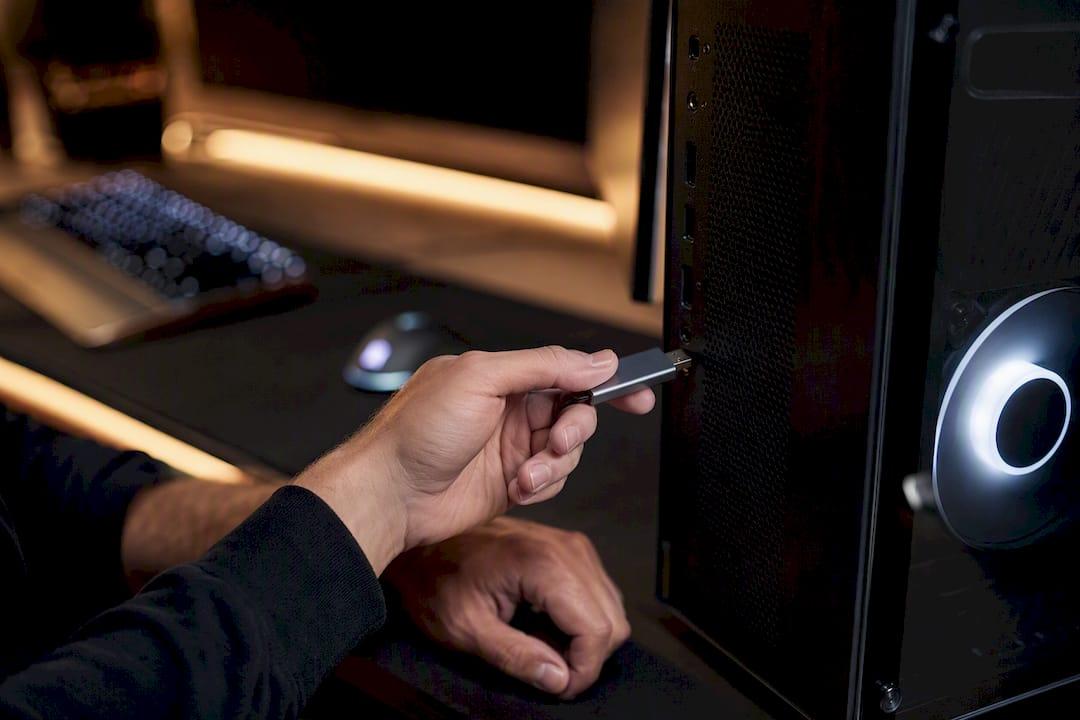
Live gaming support is the fastest, most reliable way to get a DMA rig, HWID spoofer, or cheat loader running without triggering an anti-cheat flag or losing a weekend to troubleshooting. Real-time help from someone who has already solved your exact problem beats a static wiki page every time, because your BIOS settings, USB cables, and firmware version are never quite the same as the example in the guide.
The benefits of live gaming support come down to three things: daily-tested software that already accounts for the latest anti-cheat patch, private firmware that a technician can push mid-session instead of waiting for a public release, and a live Discord channel where a human walks you through the fix instead of a chatbot script.
Here's what that combination actually gets you:
- Setup that takes minutes instead of a full evening of forum digging
- Firmware pushes that respond to detection risk in near real time
- A direct line to fix throughput, driver, or configuration issues before they become a ban
Key Takeaways
Live, real-time support cuts DMA and cheat setup time, lowers detection risk through private firmware, and shortens recovery from account incidents far more effectively than static guides or automated tickets.
| Point | Details |
|---|---|
| Setup mistakes are predictable | Most DMA failures trace to USB cables, BIOS settings, or PCIe seating, all fixable live in minutes. |
| Private firmware limits detection | Vendor-maintained firmware avoids the fingerprinting that hits mass-distributed public builds. |
| Live sessions beat tickets | Real-time troubleshooting lets a technician test, adjust, and verify a fix in one sitting. |
| Preparation speeds resolution | Screenshots, firmware versions, and cable/port details cut triage time dramatically. |
| Midnight-market backs claims with process | Daily testing, live Discord access, and hardware warranties support the setup and recovery benefits described above. |
Table of Contents
- What Are the Benefits of Live Gaming Support for DMA and Cheat Setups?
- How Live Support Solves Real DMA and HWID Problems
- How to Evaluate Whether Your Live Support Is Actually Good
- What to Prepare Before You Open a Live Support Ticket
- Midnight-Market's Approach to Live Support in Practice
- Security and Privacy Considerations When Using Live Gaming Support
- Live Support Versus Traditional or Automated Help
- Real-Time Customization and Problem Resolution Improvements
- Can Live Gaming Support Scale Across Games and User Volumes?
- Why Technical Fundamentals Beat Marketing Claims
- Get Live Support Set Up With Midnight-Market
- Sources
What Are the Benefits of Live Gaming Support for DMA and Cheat Setups?
Real-time support pays off in specific, technical ways, not vague reassurance. Each benefit below maps to a mechanical reason your setup either works cleanly or breaks.
1. Guided configuration that avoids the common setup traps. Most DMA failures trace back to a handful of repeat offenders: a non-data USB cable, a card seated in the wrong PCIe slot, an outdated driver, or a BIOS power setting that throttles the connection. A live technician who has seen these problems a thousand times spots them in minutes, where a solo user might spend hours swapping parts blindly. Guided troubleshooting checklists built for exactly this scenario confirm that USB port and cable checks resolve the majority of throughput complaints before any hardware swap is needed.
2. Private firmware that stays ahead of detection. Public firmware gets fingerprinted by anti-cheat systems fast, because thousands of users are running the identical build. Vendors who maintain private firmware and push updates through a live channel can react to a detection signature the same day it appears, rather than waiting on a public patch cycle that everyone, including anti-cheat developers, can watch.
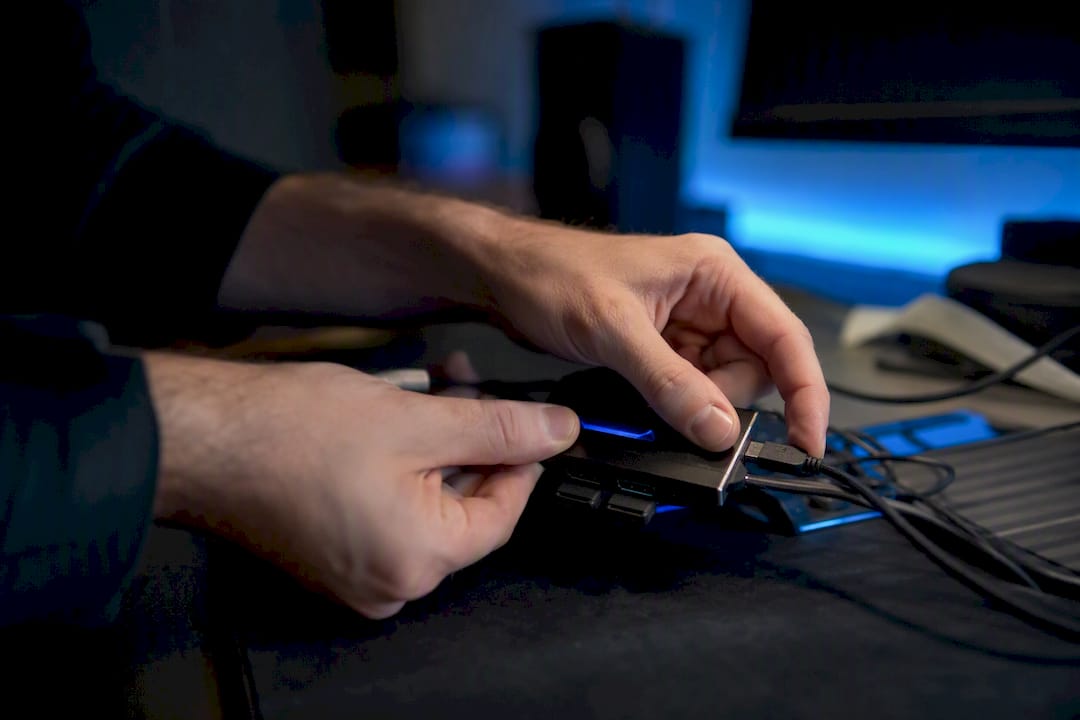
3. Real-time throughput and connectivity troubleshooting. DMA speed depends on clean USB signaling. A live session lets a technician ask you to test a different port, switch to a certified USB 3.0 cable, or reseat the card while watching your reported readings, instead of guessing from a text description days later.
4. Humanized cheat behavior to dodge pattern detection. Aim assist and ESP settings that look robotic get flagged by behavioral anti-cheat long before signature scanning catches anything. Support staff who know a title's detection quirks can tune smoothing, FOV, and trigger timing to look like a skilled human, not a script.
5. Faster incident recovery. When something looks wrong (a flagged account, a suspicious warning, a sudden performance drop) a live technician can triage in minutes: is it the software, the firmware, or a coincidence? That speed directly reduces downtime and the odds you have to rebuy a license or a spoofer license because a bad exchange the previous week went unresolved for days.
6. Performance tuning that protects your frame rate. Because DMA setups run processing on a second machine, a correctly configured rig should add close to zero FPS cost on the gaming PC. A live session catches misconfigurations, like an overloaded pagefile or a driver conflict, before they turn into stutter or input lag.
Pro Tip: Screenshot your Device Manager and any DMA test output before you open a support ticket. Technicians can diagnose a throughput issue in half the time when they can see your actual error instead of a paraphrased description of it.
How Live Support Solves Real DMA and HWID Problems
Abstract advice rarely matches what actually goes wrong at 11 p.m. before a ranked session. These are the scenarios that come up constantly, and how a live technician actually works through them.
- Low DMA throughput: A user reports a card running well below expected speed. The fix sequence, confirmed by common DMA troubleshooting steps, usually goes: try a different USB 3.0 port, swap to a certified data cable, set the power plan to High Performance, then reseat the card in its PCIe slot if the first three don't move the number.
- Firmware mismatch after a game patch: Detection risk spikes the moment a title updates its anti-cheat. Live support can push a test firmware build in the same session, watch for stability, and roll back instantly if something misbehaves. That kind of same-day iteration is not possible with a support ticket queue.
- Entities missing or invisible in-game: Often traced to paged-out memory rather than a broken ESP. A technician checks installed RAM, current pagefile size, and running background processes, then applies a temporary fix (closing memory-heavy apps, adjusting virtual memory) while a longer-term solution gets scheduled.
- HWID spoofer verification: Before trusting a spoofer against a fresh ban, support walks through pre-checks (confirming the spoof actually applied to every relevant hardware ID) and verification steps so you are not gambling an account on an assumption.
How to Evaluate Whether Your Live Support Is Actually Good
Not all "live support" delivers the same value. Judge a provider against a short, concrete list.
- Response time. A real live-support setup answers in minutes on Discord, with voice or screen share available for anything more complex than a text fix.
- Firmware policy. Ask directly: is firmware private, and how often does it get updated? Outdated or public firmware is one of the most common causes of avoidable bans.
- Willingness to test, not just talk. Good support will push a test firmware build or run a throughput check live rather than pointing you back to a generic FAQ.
- Hardware warranty terms. Clear replacement timelines matter more than marketing copy, since DMA hardware occasionally fails for reasons that have nothing to do with configuration.
- Transparency. Status pages, changelogs, and a visible, active user community are the difference between a provider that reacts to problems and one that hides them.
Industry coverage on DMA's competitive advantage repeatedly points to responsive customer support, not raw hardware specs, as the deciding factor in whether a setup stays reliable over months of use.
What to Prepare Before You Open a Live Support Ticket
Walking into a Discord session prepared cuts resolution time dramatically, sometimes from an hour down to five minutes.
- Write down your DMA card model, current firmware version, and your secondary PC's specs.
- Confirm you're using a data-rated USB 3.0 cable and note which port and PCIe slot you're using.
- Check your Windows build number and note whether antivirus or OneDrive sync is active, since both commonly conflict with DMA drivers.
- Screenshot Device Manager, any DMA test output, and the exact error message you're seeing.
- Have your network details ready and write a two-line summary of the problem to paste into Discord the moment you open a ticket.
Midnight-Market's Approach to Live Support in Practice
Midnight-market runs daily testing across its catalog, covering titles like EFT and Valorant, so what you download today already accounts for the latest anti-cheat pass rather than a build from last month. That daily cycle, paired with live Discord access, means a detection concern gets addressed the same day it surfaces, not after a support ticket sits in a queue. Instant delivery gets you into a session immediately after purchase, and hardware warranties back the DMA products so a defective card is a fixable problem, not a sunk cost. The result is a live-support model built around the same mechanics this article has walked through: private firmware, fast troubleshooting, and a real person on the other end of the chat.
Security and Privacy Considerations When Using Live Gaming Support
Handing over system details to get help carries its own risk if you're not careful about what you share and where. A responsible live-support session should never ask for your account password, payment credentials, or anything beyond what's needed to diagnose the hardware or software issue in front of you.
What's reasonable to share includes hardware specs, error screenshots, firmware version numbers, and general network details like your ISP or connection type. What should raise a flag is any request for full remote desktop control without your active supervision, or a technician asking for information unrelated to the problem you reported.
Private, vendor-maintained firmware also matters for a reason beyond detection risk: it keeps your specific build out of public circulation, which limits how many other users share your exact signature. That containment is itself a privacy benefit, since a smaller, closed distribution is harder for anti-cheat vendors to reverse-engineer than a firmware build shared across thousands of downloads. Encryption practices around license delivery and communication channels matter too. Understanding how encryption protects cheat delivery gives a clearer picture of what a trustworthy provider should already have in place before you ever open a support ticket.
Live Support Versus Traditional or Automated Help
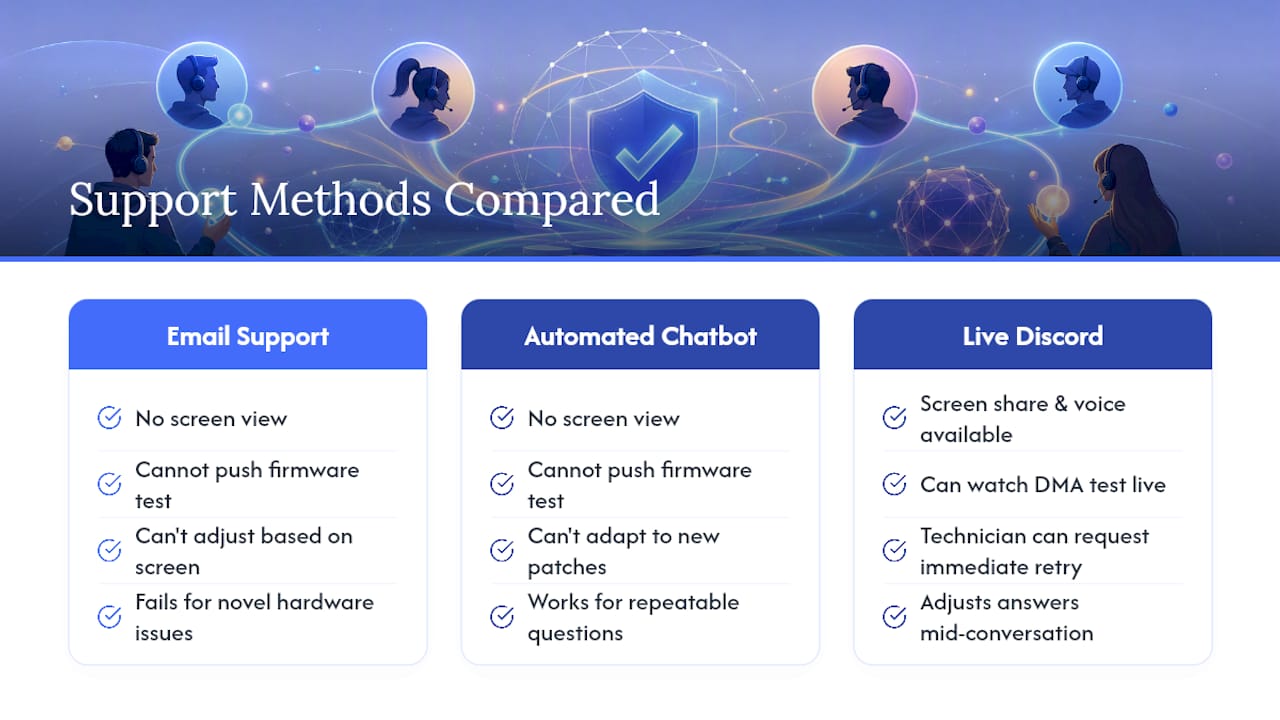
A support ticket that sits for eighteen hours is functionally useless if your account gets flagged in the meantime. Traditional email-based support and automated chatbots both share the same weakness: they can't see your screen, can't push a firmware test in real time, and can't adjust their answer based on what you show them mid-conversation.
Automated systems are fine for simple, repeatable questions (license key not activating, download link expired). They fall apart the moment a problem is genuinely novel, like a throughput issue caused by a specific motherboard's PCIe lane allocation, or a detection concern tied to a patch that dropped six hours ago. A chatbot trained on last month's FAQ has no way to know about this morning's anti-cheat update.
Live Discord support closes that gap by putting a technician and a user in the same real-time conversation, with screen share and voice available when text stops being enough. The technician can watch a DMA test run live, ask for an immediate retry after a settings change, and confirm the fix worked before ending the session. That loop, diagnose, adjust, verify, all in one sitting, is structurally impossible with a ticket queue or a script tree, and it's the single biggest reason live support outperforms both alternatives for anything hardware-related.
Real-Time Customization and Problem Resolution Improvements
The biggest user-experience shift live support brings is the ability to adjust settings while watching the result instead of guessing and reloading. A player fine-tuning ESP visibility or aim smoothing can ask a technician to walk through several configurations in one sitting, checking each against actual in-game footage, rather than changing one value, exiting, testing solo, and repeating that cycle for an hour.
Advanced problem resolution works the same way. Instead of a static troubleshooting article that assumes a generic setup, a live technician adapts to what's actually in front of them: your specific card, your specific firmware version, your specific game patch. That adaptability is what separates a documentation page from an actual fix. It also means edge cases, the setups that don't match any FAQ entry, get resolved instead of abandoned. Anyone who has hit a wall with how game updates break cheat compatibility knows how often the fix depends on details a generic guide simply can't anticipate.
Can Live Gaming Support Scale Across Games and User Volumes?
A support model built around Discord channels and daily testing scales differently than a call center does. Volume gets managed through structured channels (one for DMA hardware, one for firmware issues, one for account and license questions) so a spike in tickets for one game doesn't bottleneck support for another. That structure matters more as a catalog grows across titles like Escape from Tarkov, Valorant, Apex Legends, Fortnite, Counter-Strike 2, Rust, DayZ, and Rainbow Six Siege, each with its own anti-cheat quirks and its own patch cadence.
Game-type scalability is really a firmware and knowledge-base problem more than a staffing one. A provider testing daily across a wide title list builds institutional knowledge of each anti-cheat's behavior, which means a new user on an unfamiliar title still gets support informed by patterns seen across dozens of other players on that same game. The tradeoff shows up when a provider spreads too thin: broad title coverage without daily testing on each one leads to slower, less specific answers. The strongest signal a provider has actually solved this is a consistently active Discord with real, ongoing conversation across multiple game-specific channels, not just one general chat that everyone gets funneled into regardless of title.
Why Technical Fundamentals Beat Marketing Claims
Most content on this topic sells live support as a vague comfort blanket, something that "feels good" to have without explaining why it actually changes your odds. That framing undersells what's really happening. The value is mechanical: a technician catching a mis-seated PCIe card or a signatured firmware build before it costs you an account is a specific, testable outcome, not a vibe.
The conventional advice to "just follow a setup guide" also breaks down faster than most people expect, because DMA and HWID configurations vary by motherboard, BIOS version, and even which USB controller chipset your board uses. A guide written for one setup often doesn't transfer cleanly to another, which is exactly why live troubleshooting outperforms static documentation for anything beyond the basics.
If you take one thing from this, prioritize firmware policy and response speed over price or feature lists when picking a provider. A cheap license backed by stale public firmware is a worse deal than a slightly pricier one backed by daily testing and same-day firmware pushes, because the second one keeps working next month.
— Fonics
Get Live Support Set Up With Midnight-Market
Midnight-market backs every product with daily-tested software, private firmware, and live Discord access, so setup and troubleshooting happen in one conversation instead of a support queue. DMA hardware ships with a warranty, which means a defective card gets replaced rather than leaving you stuck mid-season. That combination is the practical alternative to piecing together forum advice and hoping your configuration matches someone else's.
Your first live-support session typically starts the moment you open a Discord ticket after purchase: a technician confirms your hardware and firmware versions, walks through initial setup, and stays on the line until your test results look clean. Browse the current DMA cards and undetected cheats lineup to see what's covered by live support and hardware warranty before you buy, and get your setup running the same day.