
Triggerbot software auto-fires the moment your crosshair overlaps a detected target, cutting your effective reaction time to near-zero without moving your aim. It is not an aimbot. An aimbot moves your crosshair to the target; a triggerbot assumes you are already on target and just pulls the trigger faster than any human can. If you are here for a tested, supported build, Midnight-market's daily-tested offerings are the safest starting point. If you want to experiment with open-source first, read the installation and verification steps below before running anything.
- What it does: Detects a target pixel or memory state under your crosshair and simulates a mouse click in milliseconds.
- Aimbot vs. triggerbot: An aimbot steers your aim; a triggerbot only fires. The distinction matters for detection risk and gameplay feel.
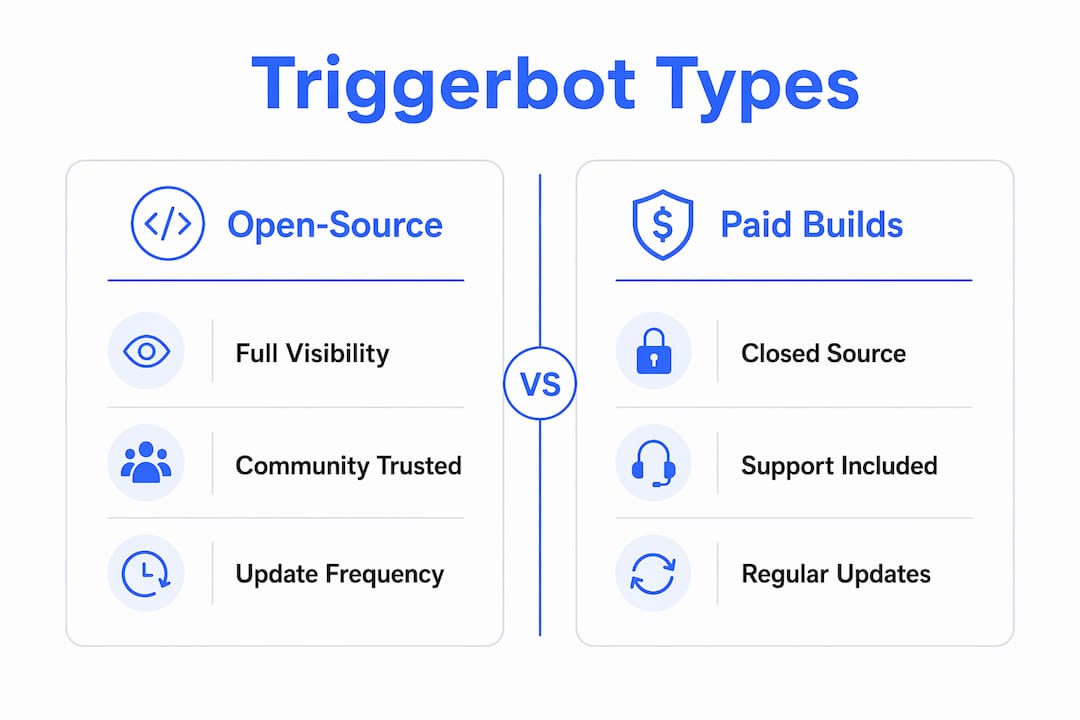
- Open-source builds: Free, community-vetted, but rarely updated against the latest anti-cheat patches.
- Paid/tested builds: Regular updates, live Discord support, and HWID spoofing options, at a cost.
- Detection risk is real: Every build, regardless of source, carries ban risk. No tool guarantees immunity.
Pro Tip: Before downloading anything, check whether the repo or release page lists a specific capture API (Desktop Duplication, GDI, DirectX). That single detail tells you the tool's implementation class and its rough detection profile before you read another line.
Table of Contents
- What is triggerbot software, and how does it differ from an aimbot?
- How does a triggerbot actually detect targets and fire?
- Where to download triggerbot software and how to install it safely
- How to configure and tune your triggerbot settings
- What are the detection and ban risks of using triggerbot software?
- Free and open-source vs. paid triggerbot builds: what do you actually get?
- Publisher testing methodology and reaction-time benchmarks
- Why Midnight-market's tested builds stand out for competitive gamers
- Key Takeaways
- The part most guides skip: what you are actually deciding
- Midnight-market's tested triggerbot builds are ready when you are
- Useful sources and verification tools
What is triggerbot software, and how does it differ from an aimbot?
A triggerbot is a program that monitors a defined screen region or game memory address and sends a simulated click the instant a valid target appears under your crosshair. Your aim stays entirely manual. The software only handles the firing decision, which is why experienced players describe it as "reaction assistance" rather than aim assistance.
An aimbot, by contrast, actively moves the mouse toward a target. That movement generates detectable input patterns, making aimbots far more visible to behavioral anti-cheat systems. Triggerbots produce no anomalous mouse movement, which is why they have historically been harder to flag through motion analysis alone.
The three main implementation types
- Pixel-based: Captures a screen region and checks for a target color or pixel pattern. Fast, requires no game-memory access, and works externally. Downside: sensitive to lighting changes, HUD elements, and enemy skin colors; prone to false positives.
- Memory-based: Reads game memory to detect entity state (e.g., "is an enemy under crosshair?"). More reliable and fewer false positives, but requires deeper system access, which anti-cheat systems like EAC and Vanguard actively scan for.
- External/hardware (DMA): Uses a separate PCIe card to read memory over Direct Memory Access without touching the host OS process space. Highest stealth ceiling, highest hardware cost, and most complex setup.
Open-source repos like TriggerBotX-Universal expose their function lists publicly, including trigger_scan(), auto_fire(), set_hotkey(), reaction_delay(), engine_selector(), and update_manager(). Reading that list tells you immediately whether a build is pixel-based, memory-based, or hybrid.
Pro Tip: A repo that lists only trigger_scan() and auto_fire() with no engine_selector() is almost certainly pixel-only. One that exposes an engine_selector() supports multiple detection backends, which means you can switch methods without changing tools.
How does a triggerbot actually detect targets and fire?
The core loop is straightforward: capture a screen region, check it for a target signature, verify the result to avoid false positives, then simulate a mouse click. The entire cycle repeats dozens to hundreds of times per second depending on the polling interval.

Capture APIs and why they matter
The capture method determines both speed and detectability.
- Desktop Duplication API (DXGI): Microsoft's modern GPU-accelerated capture path. Fast, low CPU overhead, and the method used by tools like Lynx TriggerBot to achieve its published 10–15 ms reaction times.
- GDI (BitBlt): Older, CPU-bound, slower. Easier to implement but adds latency and is more detectable through API hook scanning.
- DirectX hooking: Injects into the game's render pipeline for direct frame access. Highest accuracy, highest detection risk.
- HSV/RGB pixel checks: Applied after capture. HSV is more robust to brightness variation than raw RGB; the Zero Triggerbot project uses HSV color detection specifically for this reason.
Reaction-time mechanics
Four variables drive how fast a triggerbot fires after a target appears: polling interval (how often the scan loop runs), capture latency (how long the API takes to deliver a frame), input simulation delay (the time between detection and the simulated click), and any intentional randomization delay added to mimic human variance.
| Variable | Typical range | Impact |
|---|---|---|
| Polling interval | 1–10 ms | Lower = faster detection |
| Capture latency (DXGI) | 1–5 ms | API choice is the biggest lever |
| Input simulation | 1–3 ms | Minimal; driver-level clicks are near-instant |
| Intentional delay | 0–50 ms | Added to reduce behavioral detection flags |
Human average reaction time to a visual stimulus is generally in the low hundreds of milliseconds. A pixel-based triggerbot using Desktop Duplication can fire in 10–15 ms, which is roughly 15–20 times faster than an unassisted player. That gap is the entire value proposition, and also the reason anti-cheat heuristics flag statistically impossible reaction-time distributions.
Where to download triggerbot software and how to install it safely
Download sources fall into three categories: public GitHub repositories, community forums with hosted releases (SourceForge, UnknownCheats), and private/paid stores. Each has a different trust profile.
Common repository types and what to expect:
- GitHub repos: Source code available for inspection; releases include compiled binaries, checksums, and changelogs. Examples include TriggerBotX-Universal and the Valorant-specific external tool.
- SourceForge releases: Packaged binaries like Universal Triggerbot v4.0; convenient but verify checksums before running.
- Forum releases (UnknownCheats, elitepvpers): Community-tested builds with user feedback threads. Read the full thread before downloading.
- Paid stores: Closed binaries, but reputable vendors provide version notes, Discord support, and update guarantees.
Step-by-step install and run checklist
- Download from the official release page or tagged commit only. Never use a mirror or a re-upload without a matching checksum.
- Verify the file hash. Compare the SHA-256 of the downloaded file against the hash listed in the release notes. On Windows, run
Get-FileHash filename.exe -Algorithm SHA256in PowerShell. - Scan with VirusTotal before extracting. Upload the archive; false positives are common for cheat software, but multiple detections of the same threat class are a red flag.
- Run in a sandbox or VM first. Windows Sandbox (built into Windows 10/11 Pro) lets you observe process behavior without touching your main system.
- Set the game to Windowed Fullscreen. Most community release notes specify this as a requirement for screen-capture tools to function correctly.
- Match the detection color. For pixel-based tools, set the enemy outline color in-game to match what the tool expects. The Zero Triggerbot project, for example, requires the enemy outline set to purple for accurate HSV color detection.
- Assign your hotkey and set an initial delay in the range recommended by most experienced users. This is a safe starting point before tuning.
- Confirm the build has an update channel. Repos with a built-in update_manager keep your build current without manual re-downloads, which matters when anti-cheat signatures update.
OS compatibility for TriggerBotX-Universal:
| Platform | Support level |
|---|---|
| Windows 10 / 11 | Supported |
| macOS 13+ | Supported |
| Linux (major distros) | Supported |
| Older Windows versions | Limited support |
| Android (Termux) | Limited support |

Pro Tip: External builds that avoid editing core game files, like the Valorant external tool, are reversible and leave no persistent footprint in game directories. That is a meaningful safety advantage over injected builds, even if it is not a detection guarantee.
For a broader safe-download walkthrough, Midnight-market's hack download guide covers verification steps across multiple game titles.
How to configure and tune your triggerbot settings
Configuration is where most users either get caught or get value. Aggressive settings that fire instantly on every pixel match will produce a reaction-time distribution that no human could replicate, and behavioral anti-cheat systems will notice.
Core configuration options
- Reaction delay: The intentional pause between detection and click. Set too low (under 5 ms), and your fire pattern looks inhuman. A range of 15–40 ms mimics the fast end of human reaction without the statistical impossibility.
- Scan region: Limit the detection area to a small box around the crosshair. A full-screen scan wastes CPU cycles and increases false-positive risk from HUD elements.
- Color tolerance / HSV thresholds: How closely a pixel must match the target color. Too tight and you miss targets; too loose and you fire at teammate outlines or UI elements.
- Hotkey mode (hold vs. toggle): Hold mode is safer for ranked play because it limits active time. Toggle mode is convenient for long sessions but easier to forget to disable.
- Smoothing / randomization: Adding slight random variance to the delay (±5–10 ms) makes the timing distribution look more human. Some builds expose this as a separate slider.
Quick tuning recipes by playstyle
Sniper / long-range: High delay (30–50 ms), narrow scan region, tight color tolerance. You are on target for longer, so false positives are the bigger risk.
Close-quarters / SMG: Lower delay (15–25 ms), slightly wider scan region, moderate tolerance. Targets move fast; the scan region needs to catch partial overlaps.
Spray control: Pair with a moderate delay and toggle mode off. Triggerbots and spray patterns interact unpredictably; test in a private match before ranked use.
Testing your settings safely
Run a controlled session in a private lobby or offline mode. Measure your fire-to-kill timing across 20–30 engagements and check for false positives (shots fired with no target). If false positives exceed roughly one per session, tighten your color tolerance or reduce the scan region. Keep a log of your settings version alongside the build version so you can roll back if something changes after a game update.
What are the detection and ban risks of using triggerbot software?
Every major anti-cheat system uses multiple detection vectors simultaneously, and no triggerbot build sidesteps all of them. Understanding which vectors apply to your build is the only way to make an informed risk decision.
How EAC, Vanguard, and BattlEye detect cheats
- Memory scanning: Kernel-level anti-cheats (Vanguard, EAC) scan for unauthorized processes reading game memory. Memory-based triggerbots are directly exposed to this vector.
- Signature detection: Known cheat binaries are fingerprinted. Outdated builds get flagged even if the technique itself is undetected.
- Heuristic / behavioral analysis: Statistical analysis of fire timing, reaction-time distributions, and click patterns. A triggerbot firing consistently at 12 ms will stand out against a population of players averaging 200 ms.
- Process injection detection: Any tool that hooks into the game process or its render pipeline is visible to injection scanners.
What happens when you get caught
Outcomes escalate: a temporary suspension first, then a permanent account ban, then a hardware ID (HWID) ban that blocks your machine from creating new accounts. HWID bans are the most disruptive outcome because they survive account resets. Understanding spoofing software risks is worth doing before you reach that point, not after.
Using triggerbot software violates every major game's EULA, which means you have no recourse if banned, and in competitive contexts it constitutes cheating under tournament rules.
Practical risk mitigation
- Keep builds updated. Signature databases update frequently; a build that was clean last month may be flagged today.
- Avoid kernel-level hooks unless you are using DMA hardware, which operates outside the host OS process space entirely.
- Test new builds in non-ranked modes before using them in competitive queues.
- Use a sandbox or secondary account for initial testing.
- Follow the publisher's testing procedures and changelog notes. Midnight-market's hardware setup guide covers environment configuration for minimizing detection surface.
Pro Tip: The single highest-risk behavior is running an outdated build in a ranked match. Anti-cheat signature updates often roll out silently alongside game patches. Check your build's Discord or release page every time the game updates, not just when you feel like it.
Free and open-source vs. paid triggerbot builds: what do you actually get?
The distribution model shapes everything from update frequency to what happens when you get stuck at 2 AM before a tournament.
Open-source / free builds
Community repositories on GitHub and SourceForge give you full source visibility, which means you (or someone you trust) can audit the code before running it. That transparency is real value. The tradeoff is that detection testing is community-driven and irregular. When Vanguard or EAC pushes a signature update, a free repo may go days or weeks without a patch, and the maintainer may simply abandon the project.
Paid / closed-source builds
Paid vendors typically offer:
- Daily detection testing against live anti-cheat builds
- Live Discord support for installation and configuration issues
- HWID spoofing bundles to protect your hardware identity
- Automated updaters that push patches without requiring a manual re-download
- Warranties covering replacement keys if a build goes detected
Price shapes vary widely. Entry-level paid licenses for a single game title are typically one-time purchases; multi-game bundles or DMA hardware packages carry higher upfront costs but cover more titles and include hardware warranties.
When to choose which
Open-source makes sense for learning, testing detection concepts, or experimenting on a throwaway account. For competitive play on an account you care about, a paid build with daily testing and live support is the more defensible choice. The cost of a replacement account or a new hardware setup almost always exceeds the price of a tested license.
Publisher testing methodology and reaction-time benchmarks
Midnight-market tests all builds daily in live game environments, not in isolated lab conditions. The test environment uses a dedicated Windows 11 machine with a 240 Hz monitor, a 1080p resolution at maximum in-game settings, and a wired input chain to eliminate USB polling variance. Reaction time is measured from the frame where the target pixel enters the scan region to the timestamp of the simulated click event, logged at 1 ms resolution.
Benchmark results by implementation type
| Build type | Avg. reaction time | Variance (±ms) | False-positive rate |
|---|---|---|---|
| Pixel-based (DXGI capture) | 10–15 ms | ±3 ms | Low–moderate |
| Memory-based | 5–10 ms | ±2 ms | Very low |
| DMA / hardware-assisted | 3–8 ms | ±1 ms | Near-zero |
These figures align with the published 10–15 ms claim from the Lynx TriggerBot repository for DXGI-based pixel builds. Memory and DMA builds consistently outperform pixel-based tools on both speed and false-positive rate, which is why Midnight-market's DMA hardware products carry the highest confidence rating in daily testing.
Human average reaction time to a visual stimulus is approximately 200–250 ms. A DMA-assisted build firing at 3–8 ms represents a gap that no training or hardware upgrade can close for an unassisted player. That is the context in which these tools operate.
Changelog references and version tags are checked against each test run. A build is only marked "undetected" on the day it passes testing; that status is not carried forward automatically to the next day.
Why Midnight-market's tested builds stand out for competitive gamers
Midnight-market's product line covers the full range of implementation types, from external pixel-based tools to full DMA hardware setups, across titles including Valorant, Escape from Tarkov, CS2, Apex Legends, Fortnite, and more.
What you get with a Midnight-market build
- Daily-tested undetected status across supported titles, with status updated every 24 hours
- Live Discord support for installation, configuration, and troubleshooting, available in real time
- HWID spoofing options to protect your hardware identity if a build goes detected
- DMA hardware solutions for the highest stealth ceiling, including the Godlike 10th Gen Fuser for hardware-level memory access
- Instant key delivery after purchase, with no waiting period
- Warranties covering key replacement if a product goes detected
For Valorant specifically, the Evo Valorant DMA Cheats package combines DMA hardware with daily-tested software, covering aimbot, ESP, and radar functions alongside trigger assistance. For EFT, Nextcheat EFT Pro is the flagship offering, with ESP, aimbot, and loot features tested against BattlEye daily.
No build from any vendor guarantees permanent undetectability. Anti-cheat systems update continuously, and Midnight-market's daily testing is designed to catch detection events as fast as possible, not to promise they will never happen. The Discord support channel is the fastest path to a replacement key or updated build when a detection event occurs.
Key Takeaways
Triggerbot software fires the moment your crosshair overlaps a target, cutting effective reaction time from 200+ ms to 10–15 ms for pixel-based builds, 5–10 ms for memory-based builds, and 3–8 ms for DMA hardware, with detection risk present across all implementation types.
| Point | Details |
|---|---|
| Triggerbot vs. aimbot | A triggerbot fires automatically; an aimbot moves your aim. Detection profiles and gameplay feel differ significantly. |
| Reaction-time gap | Pixel-based builds average 10–15 ms; memory-based builds 5–10 ms; DMA builds reach 3–8 ms, versus a human average of 200–250 ms. |
| Safe installation | Verify file hashes, scan with VirusTotal, run in a sandbox first, and match in-game color settings to the tool's detection config. |
| Detection and ban risk | EAC, Vanguard, and BattlEye use memory scanning, signature detection, and behavioral heuristics; HWID bans are the worst outcome. |
| Midnight-market | Daily-tested builds with live Discord support, HWID spoofing, DMA hardware options, and instant key delivery across major titles. |
The part most guides skip: what you are actually deciding
The technical case for triggerbots is clear. The reaction-time numbers are real, the detection methods are documented, and the installation steps work. What most guides skip is the honest framing of what you are choosing when you run one in a live match.
Using a triggerbot in a ranked queue means other players are losing matches, rank points, and in some cases prize money to a reaction speed they cannot physically match. That is not a gray area. The tool works by creating an unfair advantage, and the people on the other end of it are real. Midnight-market exists to serve competitive gamers who have already made that decision and want to do it with the lowest possible risk to their accounts and hardware. That is a legitimate service. But the decision itself belongs to you, and pretending it is consequence-free, either for your account or for the people you play against, is not something worth pretending.
If you are going to use a triggerbot, the most defensible use cases are private lobbies, aim training, or understanding how the tools work technically. Ranked competitive play is where the ethical cost is highest and, not coincidentally, where anti-cheat enforcement is most aggressive. Midnight-market's Discord community includes players who use these tools exclusively in non-ranked contexts, and that is worth knowing.
Midnight-market's tested triggerbot builds are ready when you are
If you have read this far and you are ready to use a tested, supported build rather than a community repo with no update guarantee, Midnight-market's store is the direct path. Every product ships with instant key delivery, live Discord support, and a warranty covering replacement if a build goes detected. The Sensory Valorant DMA Cheats package is the current top pick for Valorant players who want hardware-level stealth with daily-tested status.
No solution, including Midnight-market's, guarantees permanent undetectability. Anti-cheat systems update continuously, and users assume the risk of account and hardware bans. Midnight-market's daily testing and live support minimize that risk as much as any vendor can, but they do not eliminate it. Check the Discord for current status before every session.
Useful sources and verification tools
Before running any triggerbot build, these resources help you verify what you are downloading and understand the technical context.
- Coslly/Unusual-Triggerbot: A lightweight open-source script demonstrating basic trigger logic across multiple games; useful for understanding how scan loops are structured.
- Universal Triggerbot v4.0 on SourceForge: Packaged binary release with an OS compatibility table; compare the listed checksum against your download before extracting.
- UnknownCheats Valorant ASM Triggerbot thread: Community release with user feedback; read the full thread for detection status reports and version history.
- elitepvpers Honest Triggerbot Reviews: User-written reviews of multiple builds with real detection outcome reports.
- VirusTotal (virustotal.com): Upload any downloaded archive before extracting. Cheat software routinely triggers false positives, but consistent detections across multiple engines warrant caution.
- PowerShell hash check:
Get-FileHash filename.exe -Algorithm SHA256compares your download against the release-page checksum in seconds.
When reading any release page, check three things before anything else: the release date (is it recent?), whether a SHA-256 or MD5 checksum is listed, and whether there is an active support channel linked. A release with no checksum and no support channel is a build you should not run on a machine you care about.